Assign Account Eligibility
The Assigned Accounts tab enables users to view the SIMs attached to a package per account.
To view the assigned accounts for a package, do these steps:
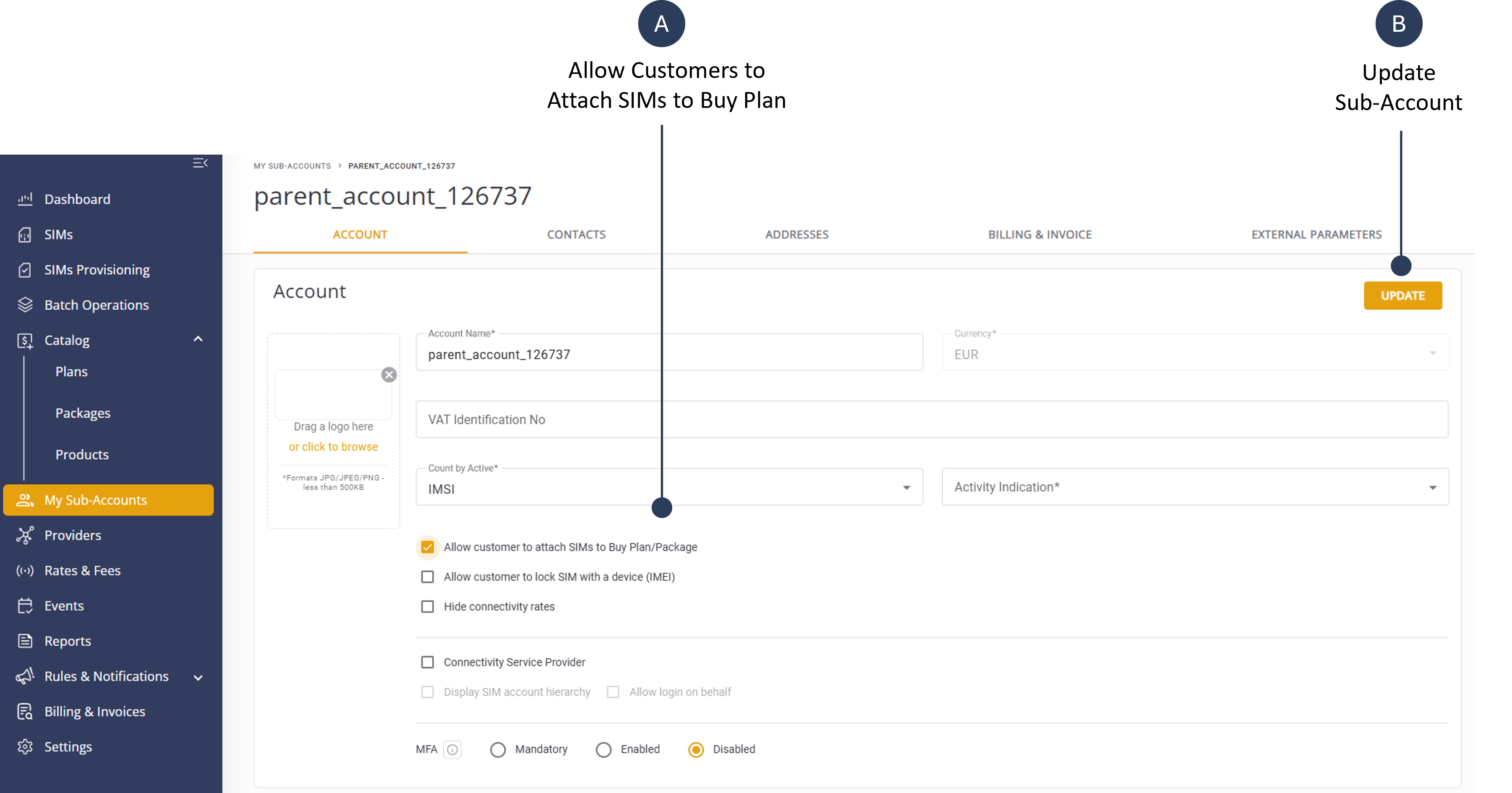
- Select My Sub-Accounts from the sidebar menu.
- Click a Sub-Account from the list to display the Sub-Account Details page.
- Check the Allow Customer to Attach SIMs to Buy Plan/Package option.
- Click Update to save sub-account settings.
An example screen capture of the Sub-Account Details page is shown here.